

Why Agenda Tech
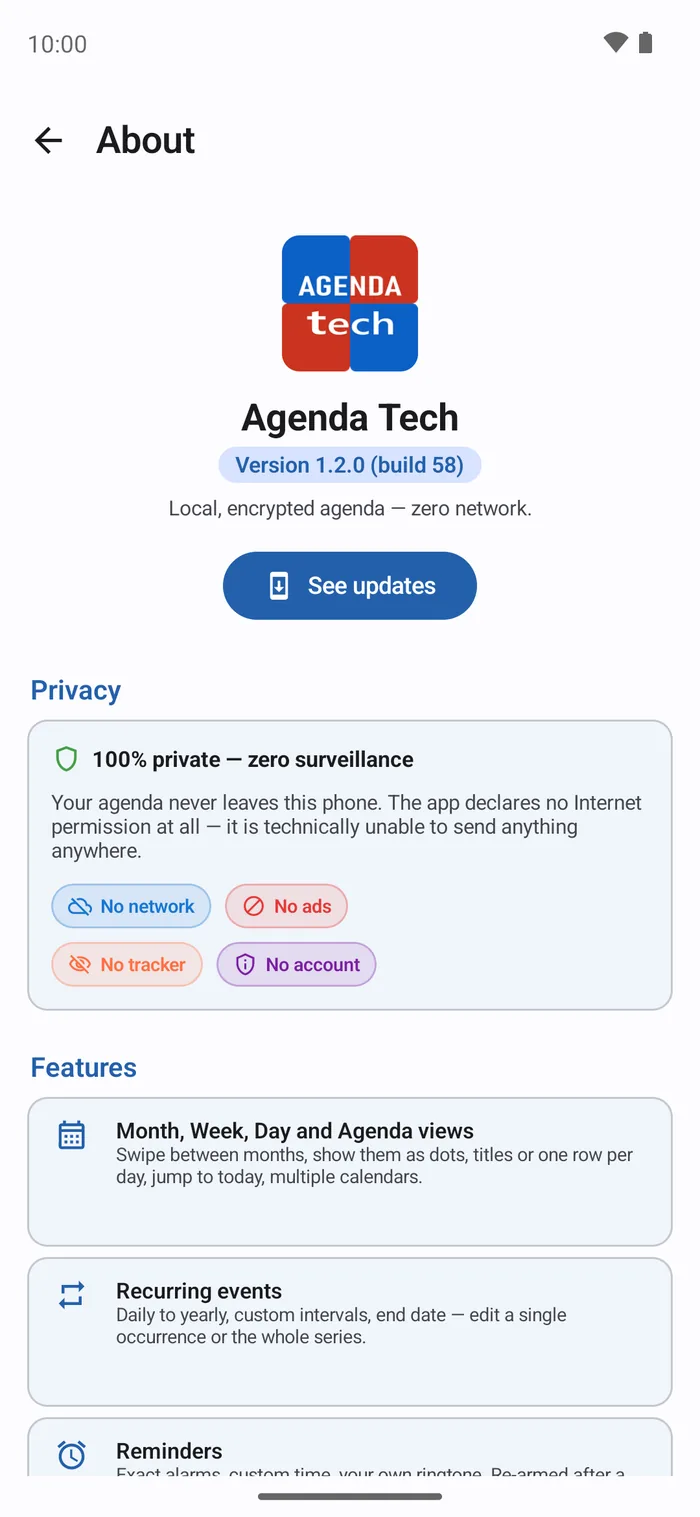
A calendar tells everything about you: your doctors, your lawyer meetings, your job interviews, who you see and when. This one tells no one.
Zero internet
No INTERNET permission in the manifest. The app is technically unable to send anything anywhere. Verifiable with a single command.
Encrypted database
SQLCipher AES-256, master key sealed by the Android Keystore (secure hardware). Without your unlocked phone, the file is unreadable.
The month, three ways
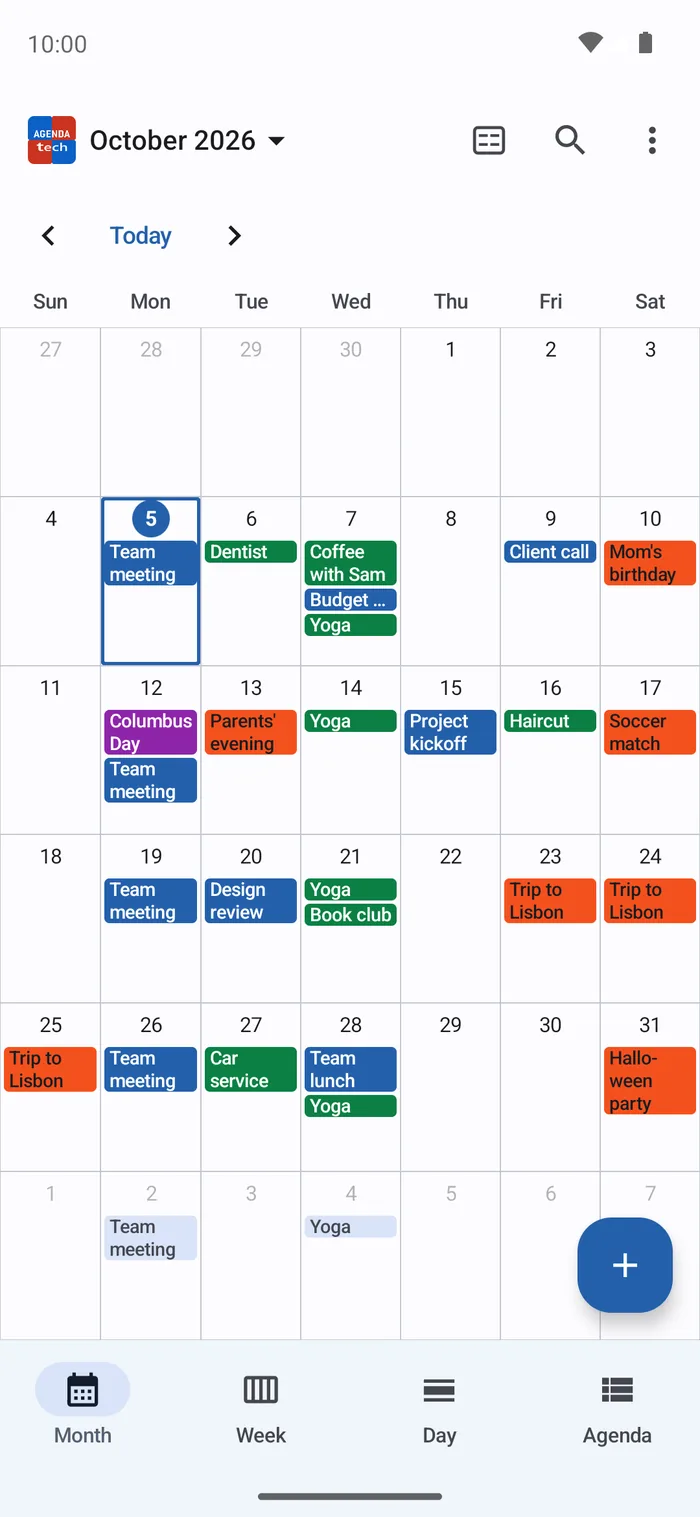
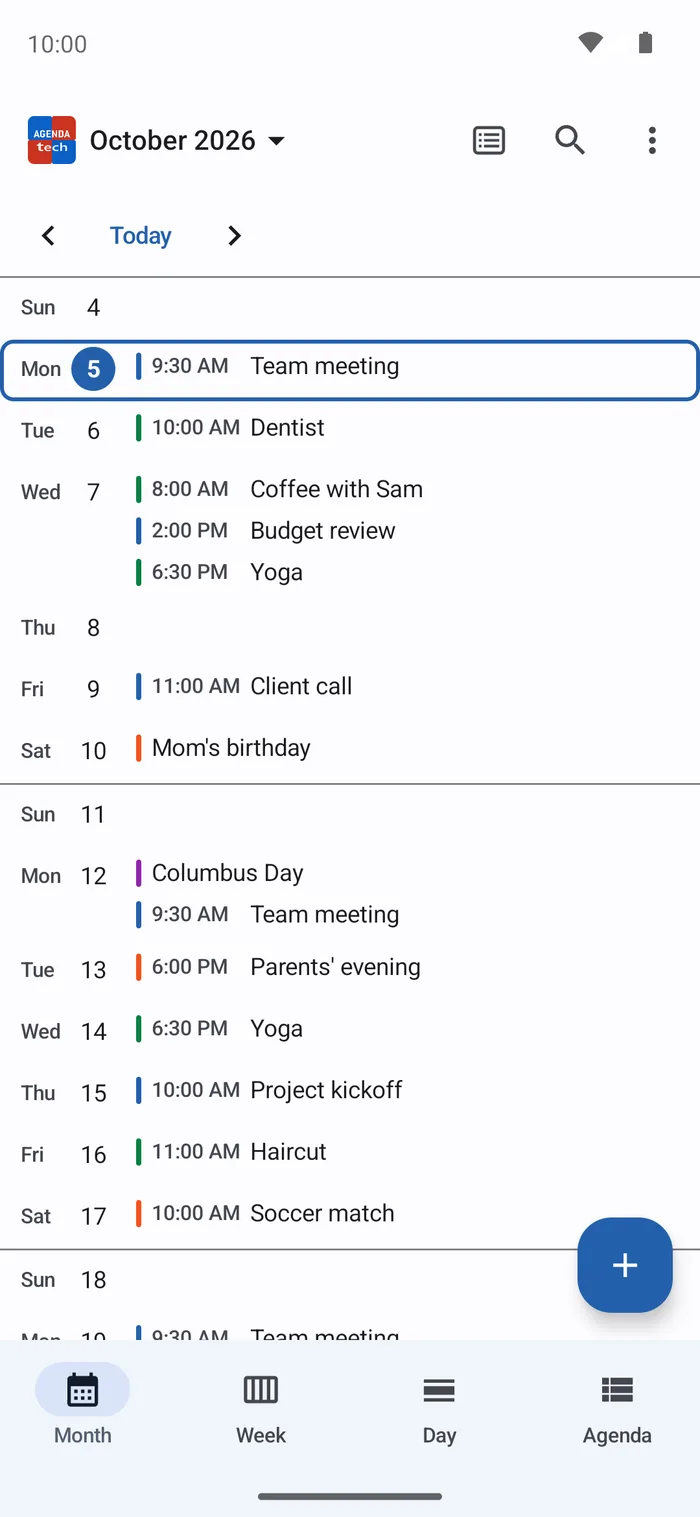
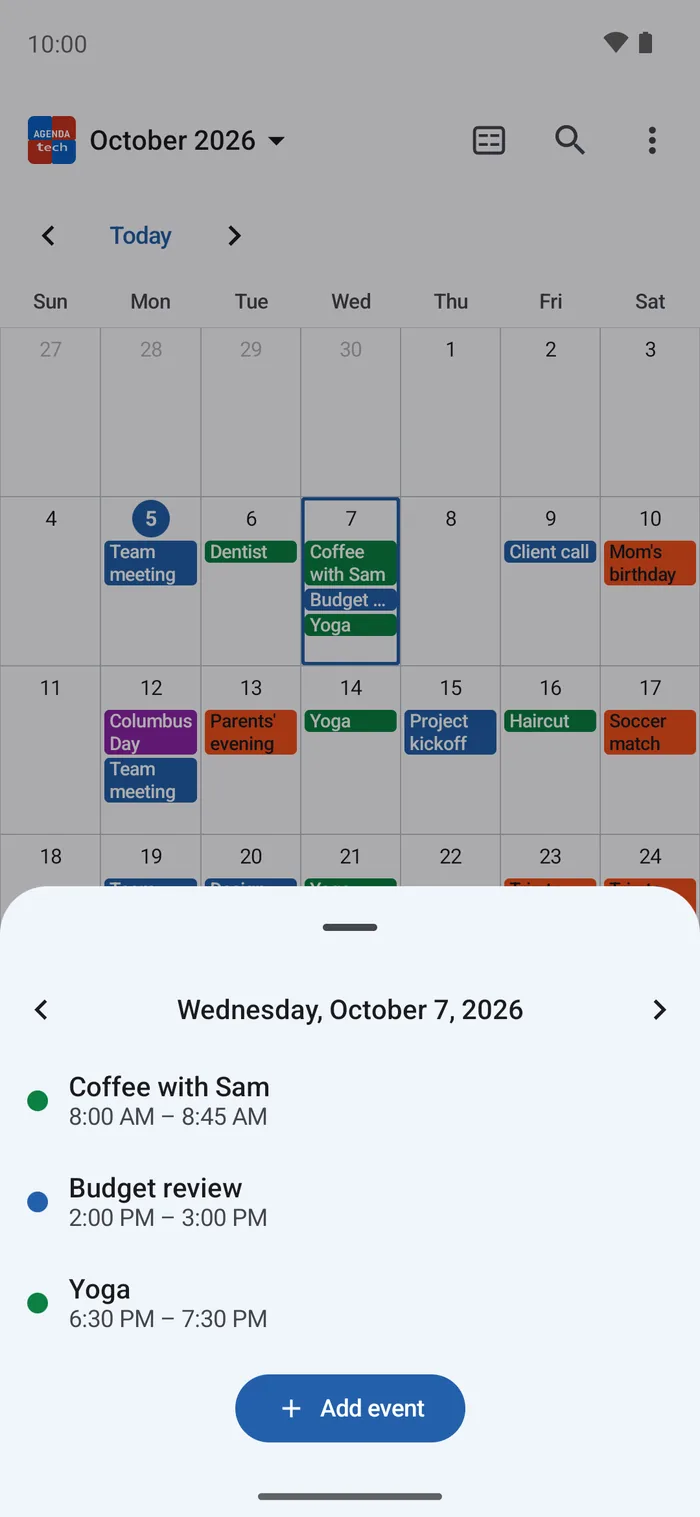
As dots, titles in the grid or one row per day, chosen from the top bar or by pinching the month. A tap opens the day, a long press creates an event on it. Plus the Week, Day and Agenda list views; week numbers and first day of week are yours to choose.
Public holidays New
Those of ten countries — Austria, Belgium, France, Germany, Italy, Luxembourg, Spain, Switzerland, the United Kingdom and the United States — worked out on the phone, nothing downloaded. The date in red in every view, the name just below. Off by default.
Share an event New
As text or as an .ics file, to the app you pick — messaging, email… That app sends it: Agenda Tech sends nothing itself, and deletes its copy once it is no longer needed.
Undo a deletion New
Deleted an event by mistake? A bar offers "Undo" for a few seconds: it comes back with its reminders, or its date comes back to its series.
Recurring events
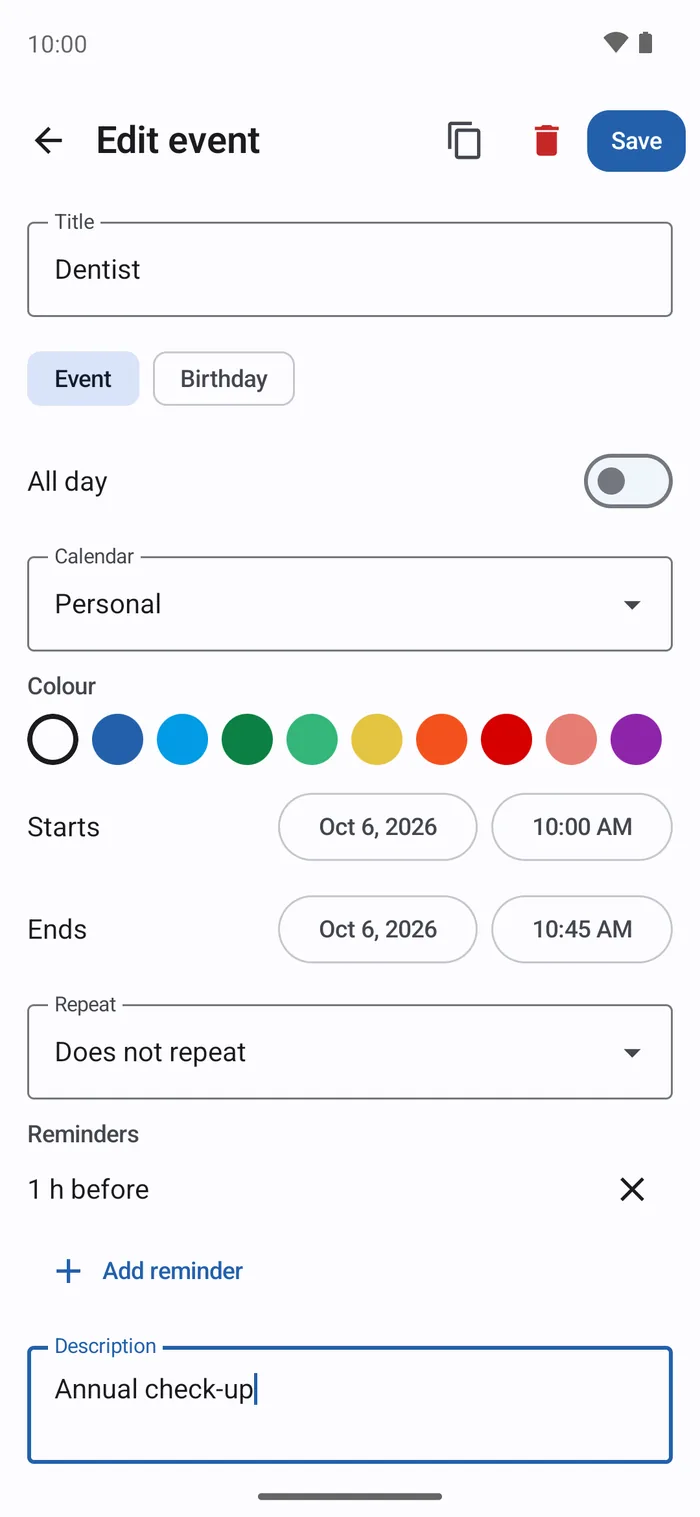
Daily, weekly (chosen days), monthly, yearly — free interval, end by date or by count. Edit a single occurrence or the whole series.
Reminders on time
Exact alarms, re-armed after a reboot. Free delay (not just preset values) and your choice of sound, including your own MP3.
Snooze a reminder
A reminder fires exactly when you are busy. The notification now carries a "Snooze 10 min" button: it comes back ten minutes later, without disturbing the next reminders of a recurring event.
Reminded to back up
The flip side of zero cloud: a lost phone with no backup loses everything. The app now says so — but rarely: never before you have something to lose, never if nothing changed since your last backup, and "Later" buys two weeks of silence. On an empty calendar it offers to restore instead.
Encrypted backup
Your whole calendar in one password-protected file — calendars, events, recurrences, places, reminders. AES-256, key derived from your password (600,000 iterations): keep it wherever you like, cloud included, it stays unreadable without you.
Automatic backup
Once a week the app writes an encrypted backup on its own, into a folder you pick, keeping only the most recent ones. Same encryption as the manual backup; the password lives in the phone’s secure store. Opt-in — nothing leaves without you asking for it.
Birthdays
An event type of its own: give the birth year once and the age works itself out, year after year. Nothing to retype.
Duplicate an event
An appointment much like another one copies in a single tap, recurrence included, then you adjust it.
Search
Find an appointment by title, description, place or city. Accents and case don't matter: "reunion" finds "Réunion". Upcoming first, past next.
Import your Google calendar
Copies the events already synced onto your phone (Google, Exchange, local calendars) — read-only, without any network access nor account access. Re-importing is a safe refresh: never a duplicate.
Place and GPS point
Label, postal address and GPS coordinates. A tap on the address, the place name or the GPS point opens it in your maps app — with no location permission at all. The day's list shows the place and the description under each event.
PIN / biometric lock
Optional lock on the whole app. PIN hashed (PBKDF2, 120,000 iterations) and sealed by the Keystore, with brute-force protection.
.ics import / export
Standard RFC 5545 format, through the system file picker. Your data stays yours, and stays readable elsewhere.
Widgets
Your upcoming events on the home screen, plus a compact date icon. Titles are hidden automatically when the lock is on.
Screenshots blocked
FLAG_SECURE by default: no preview in Recents, screen capture blocked. Forced while the app is locked.
Light / dark theme
Follows the system, or force one.
Five languages
English, French, German, Italian and Spanish — the interface, notifications, widget, F-Droid listing and privacy policy. From Android 13 the language can be set for the app alone.
Apache 2.0
Source code fully public. Every promise on this page can be checked line by line.
Free, of course ;)
No subscription, no freemium, no quota. It never will be.
Screenshots
How it works
A calendar that connects to nothing, yet still brings back your existing appointments.
1. You bring your appointments over
Android keeps a local copy of your accounts' calendars on your phone — the system syncs it, not us. Agenda Tech reads that copy and imports it, when you ask. Your Google appointments arrive without a single byte crossing the network, and without the app ever touching your account. That is also why there is no CalDAV: syncing stays the system's job.
2. Everything is encrypted, right away
Each event lands in a SQLCipher AES-256 database whose random key is wrapped by an Android Keystore key — hardware-backed and non-exportable on devices with a secure element. Cloud backups are disabled (allowBackup="false"): your calendar is never copied off the device, not even by Android.
3. Reminders ring on time
A late calendar reminder is useless: the app uses exact alarms and re-arms them after every reboot (alarms do not survive one). You pick the delay, the sound, and whether the title shows on the lock screen.
4. You stay in control
PIN or biometric lock on the whole app, screenshots blocked, titles hidden in the widget. And at any time, a standard .ics export: you leave with your data, without asking anyone.
Privacy commitments
No empty promises. Only commitments you can verify in the code.
| Commitment | Agenda Tech | Verifiable |
|---|---|---|
| Internet permission | Never declared | aapt dump permissions |
| Location permission | None — the GPS point is handed to your maps app | Public manifest on GitHub |
| Google account access | None — read-only on the calendar already on the device | READ_CALENDAR only, requested at runtime |
| Tracker / ad SDK | None | GitHub source inspection |
| Third-party crash reporter | None | No Crashlytics, Sentry, etc. dependency |
| Account / sign-up | None | No login screen at all |
| Event storage | Local + encrypted | SQLCipher in /data/data/com.filestech.agenda_tech |
| Android cloud backup | Disabled | allowBackup="false" in the manifest |
| Sharing an event | Only when you ask, to the app you pick — the copy is deleted afterwards | Non-exported FileProvider, see SECURITY.md |
| Source code | Fully Apache 2.0 | github.com/gitubpatrice/AGENDA-TECH |
Who it is for
- Patients and carers whose calendar spells out an illness — appointments, scans, surgery: that is nobody's business, least of all an advertiser's
- Practitioners, therapists, freelancers logging client sessions — professional confidentiality is not optional
- Journalists, lawyers, doctors for whom simply meeting someone on a date is already sensitive information
- Anyone who wants to leave Google Calendar without losing their existing appointments
- Travellers who want a calendar that works in flight mode, abroad, with no data
Honestly, the limits
- This is not a sync. The import copies what is on the phone; re-importing updates it, but an event created in Agenda Tech will not travel back to Google. That is the price of zero network — and it is a deliberate one.
- No CalDAV, no shared calendars, no invitations: all of it would require network access. You can send an event to someone, not share a calendar with them.
- No sync between your devices. The encrypted backup (or the
.icsexport) is the manual bridge — and it is a deliberate one. - Stable, and seriously audited. Five audit passes in v1.0.0 covered the whole surface of the app — encrypted database and migrations,
.icsimport, backup cryptography, alarms, widget, notifications, interactions. v1.1.0 adds a full audit on top: twenty-six findings fixed, no vulnerability, and the "no internet permission" promise verified at kernel level on a real device — it is also checked on every build. v1.2.0 and v1.3.0 were each audited before release; for v1.3.0, the security audit of the new code and the three-axis audit found no critical, high or medium issue, and every finding of two external reviews was checked, then fixed. Bug reports are still welcome. - On F-Droid, a new version arrives a few days after the GitHub Releases, while F-Droid rebuilds it from source. It is the same file, signed with the same key: you can move from one to the other without uninstalling.
Bringing your Google calendar over
Three steps, offline, without granting any access to your account.
- Make sure your account is synced on the phone (Android Settings → Accounts → your Google account → Calendar enabled).
- In Agenda Tech: ⋮ menu → Settings → Import from the device calendar.
- Allow calendar access, tick the calendars you want, then Import. Run it again whenever you like: it updates without ever creating a duplicate.
The permission requested is READ_CALENDAR, read-only: Agenda Tech never modifies your original calendars and never writes anything to Google.