

Pass Tech v3.0.0
100 % local password vault. Your secrets never leave your phone.
Security audit — 8 findings fixed (v3.0.0)Coming from 2.x? 3.0 is a full rewrite, in Kotlin, and a different application: it installs beside the old one, not over it. Your current vault is never touched.
To move across: in 2.x, export an encrypted .ptbak backup; install 3.0, create your vault, import the file; check everything is there; and only then remove the old app.
3.0 needs Android 8.0 or later. If your phone runs Android 7, stay on 2.7.1: it stays downloadable for that reason, but it will get no further update.
Why Pass Tech
A password manager with no cloud, no account, no server — truly.
AES-256-GCM (AEAD)
NIST SP 800-38D, random 96-bit nonce, anti-downgrade AAD. Replaces AES-CBC + HMAC.
Argon2id
RFC 9106, OWASP 2024 parameters (m = 19 MiB, t = 2). GPU/ASIC resistant. Replaces PBKDF2.
Hardware-bound key
The secure chip takes part in every attempt: an HMAC-SHA256 computed inside the Keystore, with a key that never leaves it. Files copied elsewhere cannot be attacked.
Hardware biometrics
Keystore-sealed key, Face/Fingerprint unlock.
Anti-brute-force
Progressive lockout after 5 fails (30s → 30min).
Screenshots blocked
FLAG_SECURE on, no preview in Recents.
Auto-lock
Configurable lock + RAM wipe of the key.
Secure clipboard
Auto-clear + IS_SENSITIVE flag (Android 13+).
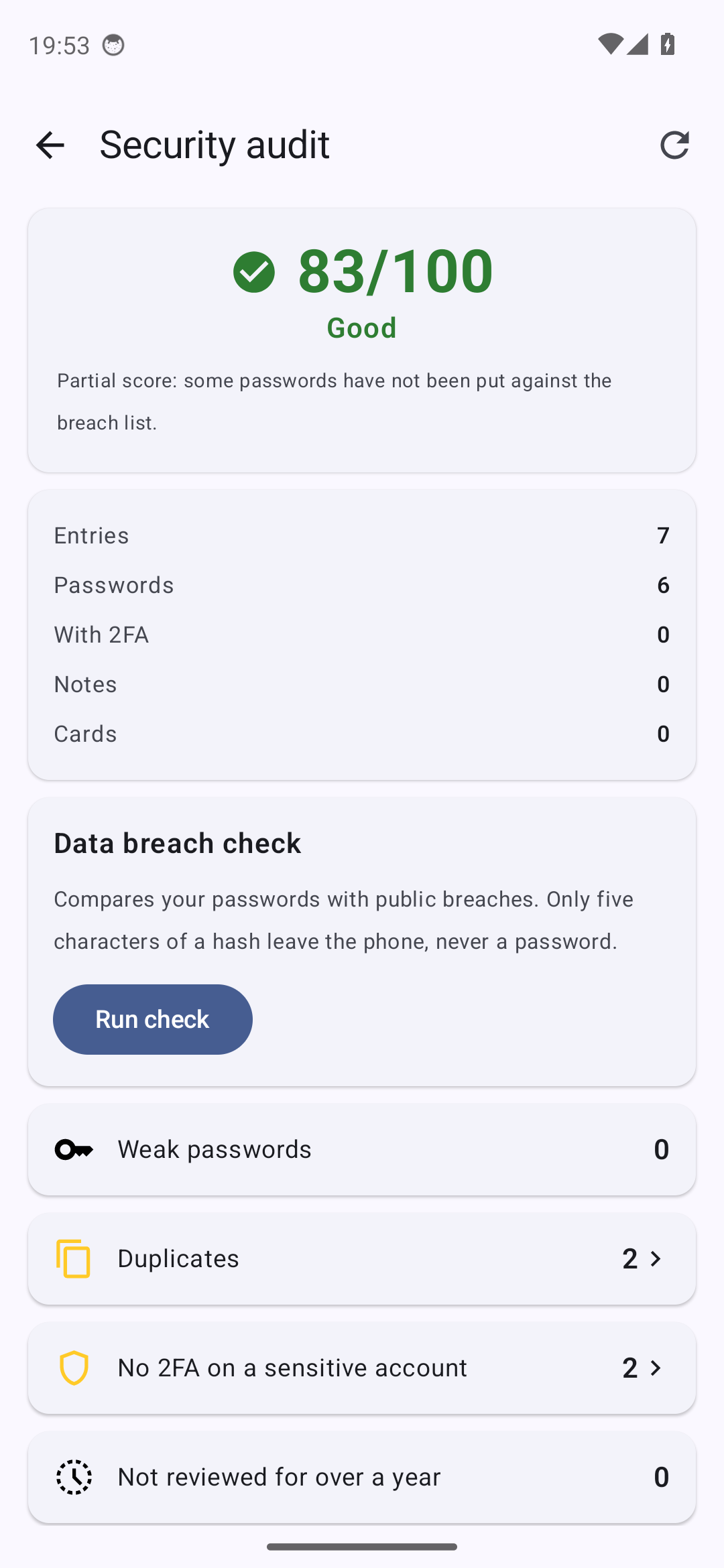
HIBP k-anonymity
Optional breach check, only 5 SHA-1 chars sent.
3 entry types
Passwords + TOTP 2FA + bank cards + notes.
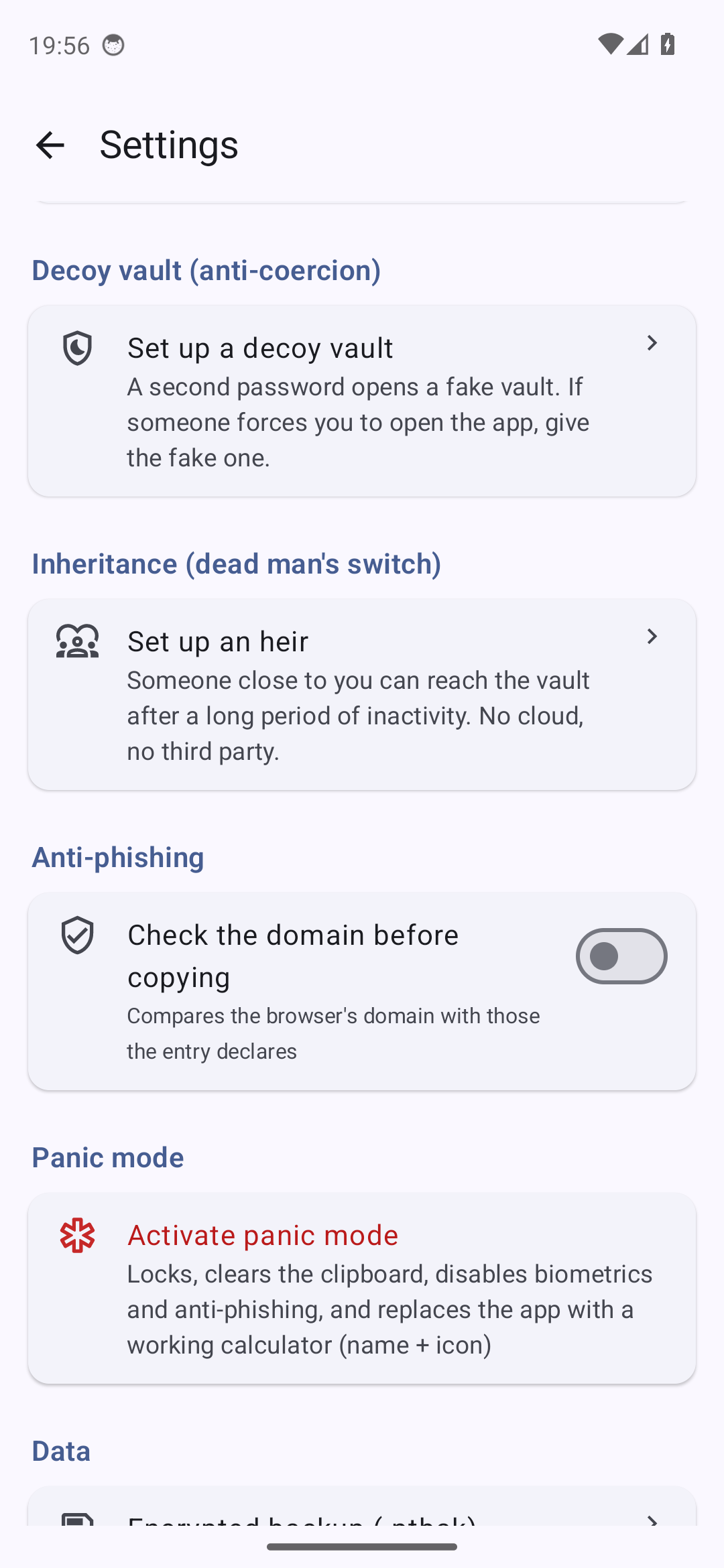
Decoy vault
A 2nd password opens another vault. Three slots of equal size: the files do not say how many are in use.
Panic mode
Lock + clipboard wipe + the app becomes a real calculator (name, icon, screen). To return: long-press the display for 2 s.
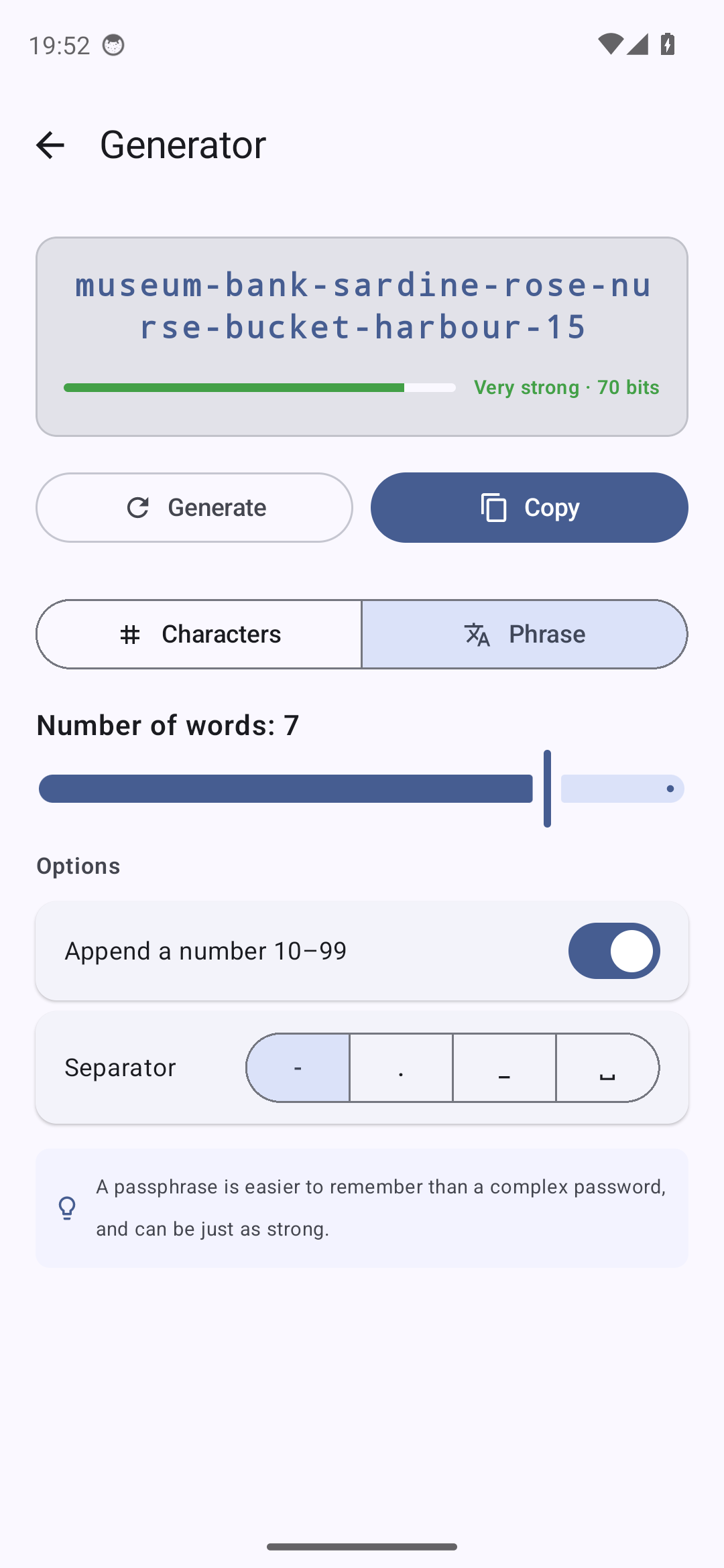
Passphrase
Words drawn in the app's own language: renard-cloche-violet-soleil-7. Memorable, just as secure.
Inheritance
A loved one accesses the vault after a prolonged period of inactivity. 100 % local digital will.
Five languages
English, French, German, Italian, Spanish — picked in Settings, independently of the device language. Privacy policy and terms included.
Per-domain anti-phishing
Checks the browser's domain before copying. Alerts on typosquatting and fake sites.
Screenshots
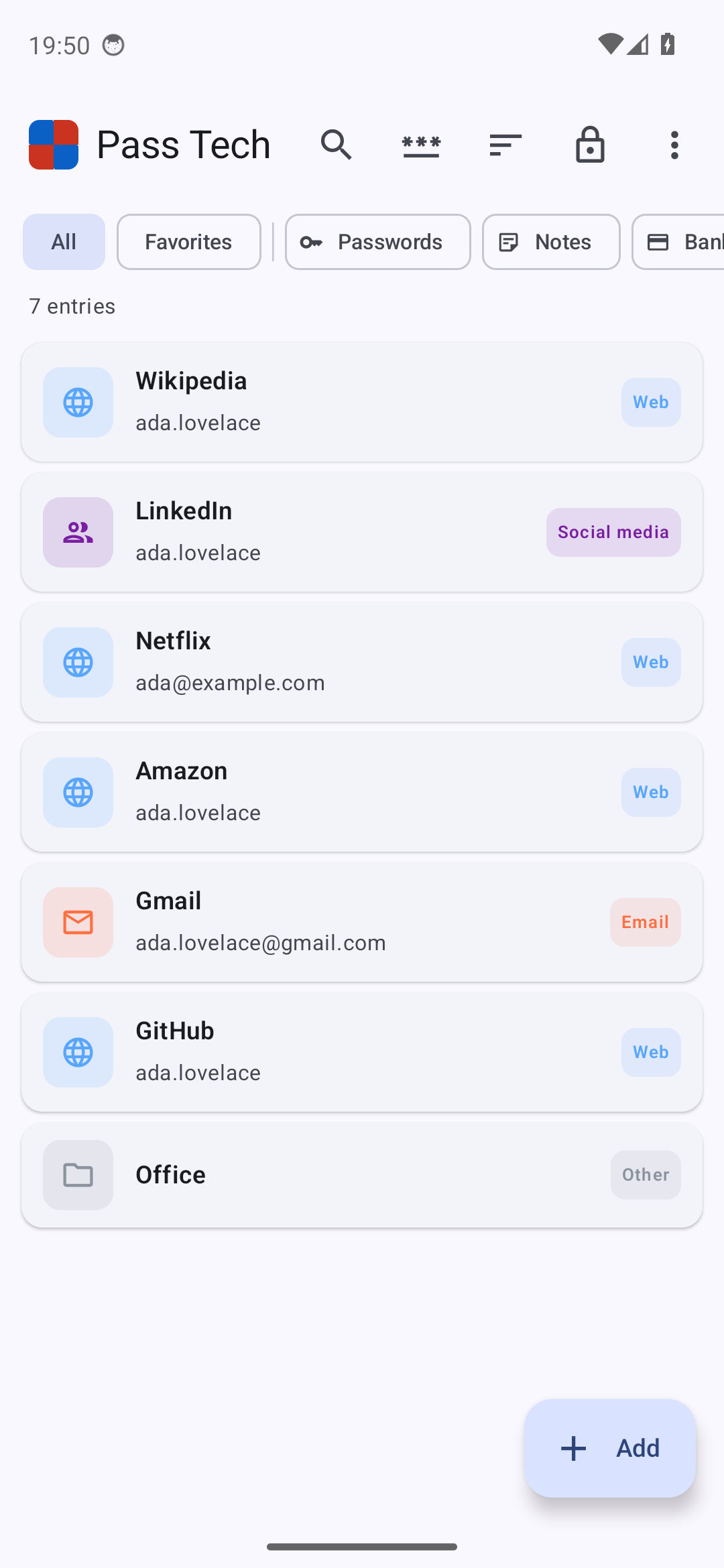
Radical privacy
Pass Tech goes beyond classic password managers with four unique protections.
Decoy vault — plausible deniability, and its limits
Set up a 2nd password that opens another vault, with entries of its own. If someone forces you to open the app (border, inspection, theft, assault), you give them that password. Here is what is actually guaranteed, and what is not:
- Three slots exist from the very first launch, before you have created anything. All three are the same size and written the same way.
- Unused slots hold random data encrypted under a key that exists nowhere — neither you nor we can ever open them. There is nothing to find in them, because there is nothing in them.
- The files stay the same size even when the open session holds no key for the others. This is the part that took the most work: random bytes are appended after the ciphertext, and the authentication tag finds the boundary again on the way back. Nothing in the names, the sizes or the bytes says how many slots are in use.
- The decoy never writes to the real vault. Opening it, filling it, deleting entries from it leaves the other slots untouched.
- Biometric unlock and the decoy exclude each other, and the app enforces it: a fingerprint would open the real vault directly, which would undo the decoy in the very situation it exists for.
- What is NOT guaranteed is written down. How many slots are free can be counted from inside the app, by someone holding your unlocked phone: setting up a decoy takes a slot, and the app says so when there is none left. With three slots this cannot be closed — every way of hiding the refusal makes it speak sooner, not later. It is rate-limited like a wrong password, and stated as R6 in the threat model.
- And above all: whoever knows this app exists knows a second vault may exist. That is public, and deliberate. Plausible deniability protects against a search, not against knowledge.
Panic mode — three protections in one tap
- Immediate vault lock, key wiped from memory
- Clipboard cleared, and biometrics disarmed: the master password will be needed to reopen
- The app becomes a real calculator on the launcher: name, icon and opening screen. It actually computes — an inert facade would be just as revealing.
- To get back: long-press the calculator's display for 2 seconds (the result area). It is the only way to your vault while the disguise is active — remember it. Fully restoring the name and icon is then done from Settings.
Inheritance — 100 % local digital will
Set up a separate password for a loved one (spouse, child, executor). If you do not use the app for N days (90 by default, 30 to 365 configurable) + 7 grace days, the "Heir access" option appears on the unlock screen.
- A separate encrypted snapshot, under a key separate from the vault's: the same passphrase on the same slot does not yield the same key, so one file put where the other belongs opens nothing
- If you log in again during the grace period, the counter is reset
- The heir password is never stored and cannot be recovered — you communicate it to your heir securely (orally, will, bank safe)
- No cloud, no trusted third party, unlike competitors' "Emergency Access" features that route through their servers
Per-domain anti-phishing — check before copy
Before copying a password or 2FA code, Pass Tech checks that the foreground browser is actually displaying the entry's domain. If a malicious site tries to trick you (typosquatting like paypaI.com, fake site paypal-secure.evil.com), an alert is shown comparing the domains.
- 9 supported browsers: Chrome, Firefox, Brave, Edge, Opera, Vivaldi, Samsung Internet, DuckDuckGo, Fenix
- Typosquatting detection via Levenshtein distance (threshold ≤ 2)
- Legitimate subdomains accepted (
login.example.com↔example.com) - Dedicated Android accessibility service, strict restriction to declared browsers — no other app is read
- An entry can declare several addresses. Root domain only, volatile memory, 15 s freshness window — past that the app says it could not check, it never says all is well. No log, no network egress.
- Can be disabled anytime from Android Settings
Open source code
For a password manager, independent code audit is essential. Pass Tech is released under the Apache 2.0 license — you can read, verify and compile it yourself.